


Flipboard:Your Social Magazine
3.4134.98K Reviews
App Specs
- Version
- 4.3.61
- Updated On
- License
- Free
- Downloads
- 500,000,000+
- Developer
- Categories
- News & Magazines
- Platform
- Android, iOS
Screenshots
 Analysis by AppCompare
My first impression of Flipboard: Your Social Magazine is that it makes catching up on reading feel less like clearing an inbox and more like browsing a magazine. That first-week appeal is real: choosing topics quickly gives the home screen a sense of direction, and the page-like presentation makes it easy to sample stories without committing to a long reading session. The novelty is pleasant, but the more important question is whether the app remains useful once the initial browsing wears off.
A quick start, with choices worth revisiting
Flipboard is a free news and magazines app from Flipboard. It has been available since June 21, 2012, and version 4.3.41 supports devices running Android 7.0 or later. Its Everyone 10+ age rating makes it a general-audience option, though the stories you encounter depend on the subjects and publications you follow. The app has a 3.4 average rating from around 1.4 million ratings and more than 500 million installs, so it is clearly familiar to many readers, even if that does not mean its format will suit everyone.
When I set it up, I would treat topic selection as a starting point rather than a permanent profile. Broad interests can make a feed feel busy and repetitive; narrower choices give the magazine more character, but may leave gaps when you want a wider overview. A practical approach is to begin with a few subjects you genuinely follow, then add or remove interests after noticing what you actually open. That small adjustment is more useful than selecting every appealing topic at once.
Guides and Analysis on Flipboard:Your Social Magazine
It is also worth deciding what you want the app to do before building your feed. If you want a quick scan of current events, keep the mix broad enough to surface different angles. If you mainly want ideas for a hobby or a professional interest, focus on those areas and use discovery as a secondary benefit. This helps answer a common question: does Flipboard require constant setup? No elaborate curation routine is necessary, but a little initial restraint can make the ongoing experience calmer.
What is Flipboard?
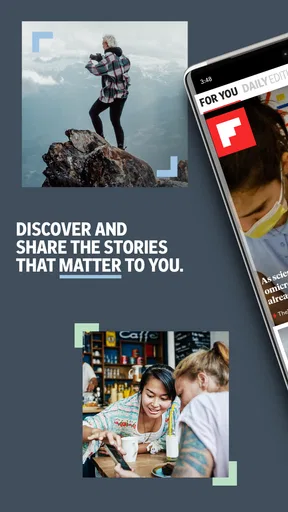
Flipboard is essentially a personalized magazine that's curated just for you. It's like having your very own editor who knows exactly what you love. Whether you're into tech, fashion, sports, or politics, Flipboard allows you to select from a plethora of topics and sources to create a custom feed. The app pulls in articles, videos, and social media content, and presents it all in a beautifully designed, easy-to-navigate format.
Setting Up Your Magazine
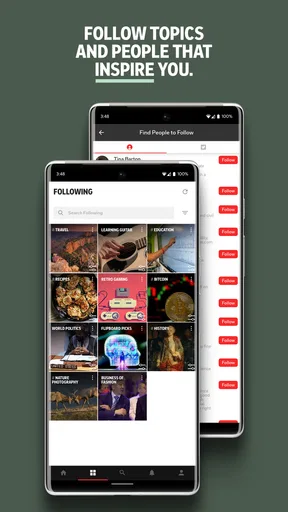
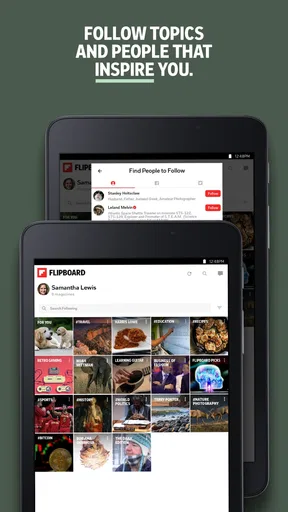
Getting started with Flipboard is a breeze. After downloading the app, you're prompted to pick a few topics that pique your interest. The interface is super intuitive; you just tap on what you like, and Flipboard takes it from there. It’s like piecing together your own magazine, section by section. The app then curates content from a variety of sources, ensuring you get a well-rounded view of your interests. This customization is one of the app's strongest points.
The habit that works best for me is to use those selected topics as a route into reading, not as a promise that every story will be a perfect match. For example, during a commute I might scan a few headlines, save my attention for one substantial article, and leave the rest for another time. That is a more realistic use than expecting to read everything the app presents. A curated feed is still a feed: it can make discovery easier, but it cannot make every item relevant.
Worth Reading Before You Choose

Basketball Stars: Multiplayer Is Fast, but Can It Recover When Matches Go Wrong?

WEBTOON Turns Phone Updates Into a Better Reading Routine

Link to Windows Runs on Shared Habits, Not Social Feeds

How Alibaba.com Dominates the B2B Marketplace

Metro's Quiet Rise: Redefining Mobile Communication

Harnessing Ecosystem Power with Phone Tracker by Number
Exploring the Features
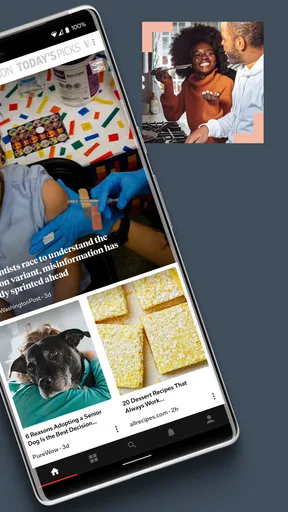
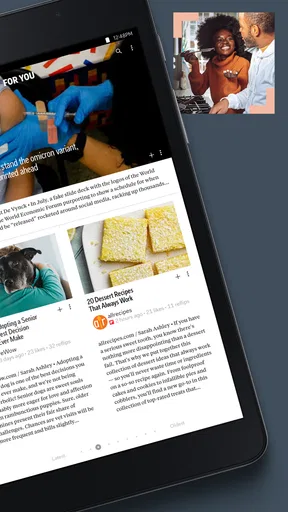
Once you’re all set up, the real fun begins. Flipboard's magazine-style layout is as engaging as it is informative. The flipping action feels almost like turning pages in a real magazine, creating a tactile experience that I find really enjoyable. Plus, it’s not just articles. You’ll find videos, podcasts, and even tweets that align with your interests.
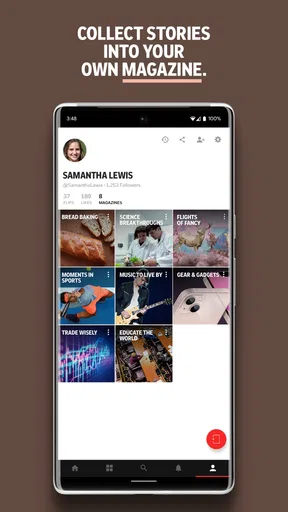
One of the standout features is the Smart Magazines. These are dynamically updated collections that Flipboard creates based on your preferences. They offer a deeper dive into specific topics and are perfect for when you have a bit more time to explore.
Smart Magazines make most sense when I want an open-ended browse around one subject, rather than when I need a carefully ordered reading list. If I am following a developing story, I still prefer to check a publication directly for its latest reporting and context. That distinction is useful: Flipboard is a discovery and reading surface, not necessarily the best single destination for every urgent update or specialist topic.
Making it fit an ordinary day
A realistic routine might be a short check over breakfast, followed by a longer browse later when there is time to read rather than just skim. I would use the first visit to notice what is worth returning to, then avoid treating every headline as a task. This keeps the app from becoming another source of digital housekeeping. If I regularly find myself scrolling past the same kinds of items, I would adjust the subjects I chose instead of trying to compensate by spending more time in the feed.
For someone who follows several interests but does not want to open a separate publication for each one, the magazine approach can be convenient. It is less compelling for a reader who already has a trusted list of news sites and wants a strict chronological rundown. Compared with going directly to individual publishers, Flipboard puts discovery and variety first; the trade-off is less control over the precise order and mix of what appears. Compared with a conventional social feed, its reading-oriented presentation can feel more intentional, but social content may still bring along the distractions of a mixed feed.
Social Integration
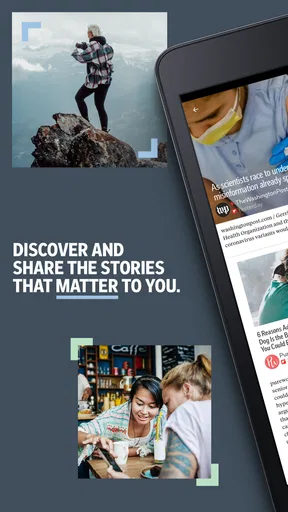
In today's connected world, social media plays a huge role in how we consume content. Flipboard integrates seamlessly with platforms like Twitter and Facebook. This means you can see what your friends are reading, share articles directly, and even follow your favorite influencers. It’s like having a social network centered around quality content.
That social layer is best treated as an optional route to interesting material, not a guarantee that everything shared will be worthwhile. I would follow people whose reading reliably adds context or introduces a subject I would otherwise miss. If the social side starts to crowd out the stories I came to read, I would lean more on topic-based browsing. This is one of the app’s meaningful trade-offs: social recommendations can broaden a magazine, but they can also make it feel less like a focused personal selection.
User Experience
Visually, Flipboard is a treat. The app's design is sleek and user-friendly, making it easy to lose yourself in a rabbit hole of information. Each "flip" feels satisfying, and the layout ensures that content is both accessible and visually appealing. It’s an app that doesn’t just serve you content but does so in a way that's genuinely enjoyable.
The visual style is also a reason I would not recommend it to everyone. People who want the fastest possible headline scan may find the magazine-like presentation slower than a plain list. And while an inviting layout encourages exploration, it can make a quick check stretch longer than intended. I would open it with a simple purpose—catch up on a subject, look for something to read, or browse a magazine—rather than expecting it to be the most efficient way to consume breaking news.
When the routine gets stale
Long-term value depends on whether the mix keeps earning a place in your day. If the feed becomes too familiar, the answer is not necessarily to add more topics; broadening everything can create more noise. I would first look for one or two interests that have gone quiet and replace them with something I am actively curious about. That is a small maintenance habit, but it gives the app a better chance of feeling personal instead of repetitive.
There is also a real difference between discovering a story and following it closely. Flipboard is handy when I want to encounter varied articles and viewpoints in one place. When accuracy, depth, or the newest developments matter for a particular subject, I would compare coverage and visit the publication itself. Readers who need a highly controlled reading queue, a strict breaking-news alert setup, or a work-focused research archive may be better served by tools built specifically for those jobs.
One useful boundary is to decide what counts as a successful visit. It might be finding one worthwhile article, not finishing an endless stream. That keeps the app’s discovery strength from turning into a reason to keep scrolling. If I stop finding stories I want to read, I can change my selected topics or simply take a break; there is no benefit in maintaining a daily habit for its own sake.
Why You Should Try Flipboard
If you’re someone who loves to stay informed but feels overwhelmed by the never-ending stream of information, Flipboard might just be your new best friend. It simplifies the process of content consumption, allowing you to focus on what truly interests you. Plus, the ability to discover new topics and sources keeps things fresh.
For me, it is strongest for curious readers who enjoy browsing across subjects and appreciate a more visual way to move between stories. It is a weaker fit for anyone who wants a bare-bones feed, tightly managed reading lists, or a single authoritative source for fast updates. The free price makes it easy to try without a purchase decision, but the real test is whether its mix and presentation make you return for a useful reason after the first few sessions.
At the end of the day, Flipboard: Your Social Magazine offers a unique and engaging way to consume content. It's not just another app; it's an experience. So, if you haven’t yet, give it a spin and see how it transforms your daily reading habits. You might just find yourself flipping through your phone more than ever before!
Pros
- User-friendly interface with intuitive navigation.
- Customizable feed tailored to personal interests.
- Seamless integration with social media platforms.
- High-quality content with diverse sources.
- Offline reading mode for convenience.
Cons
- Occasional slow loading times for articles.
- Limited customization for certain features.
- Ads can be intrusive at times.
- Requires account for full feature access.
- Data usage can be high with frequent use.
FAQs for Flipboard:Your Social Magazine
What is Flipboard and how does it work?
Flipboard is a social magazine app that curates news and updates from various sources, including your social media, blogs, and websites. Users can personalize their content by selecting topics of interest. The app then presents these in a visually appealing magazine-style format, making it easy to browse and read.
Is Flipboard free to use, and are there any in-app purchases?
Yes, Flipboard is free to download and use on both Android and iOS devices. While the app itself is free, some content may require a subscription or purchase. However, most of the app’s features and curated content are accessible without any additional cost.
Can I use Flipboard offline?
Flipboard requires an internet connection to update and sync new content. However, users can save articles for offline reading. By adding stories to the 'Read Later' section, you can access them without an internet connection, making it convenient for times when you're on the go.
How does Flipboard handle privacy and data security?
Flipboard places a strong emphasis on user privacy. It collects minimal personal data and uses it primarily to enhance the user experience by tailoring content to individual preferences. The app provides a privacy policy that clearly outlines what data is collected and how it is used, ensuring transparency.
Can I share content from Flipboard with others?
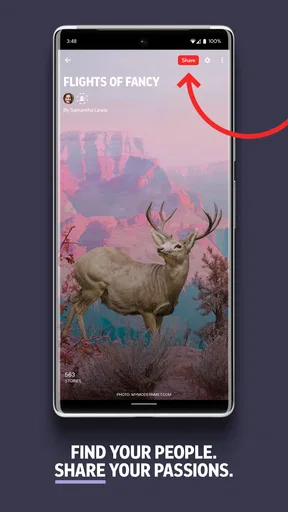
Yes, Flipboard allows users to share articles and stories easily. You can share content via email, social media platforms, or directly with contacts through the app. You can also create and share your own magazines, curating articles on specific topics to share with friends and followers.


